Real screens from the app — the calendar, a project's schedule, delay entry, the reports dashboard, and trade partners.
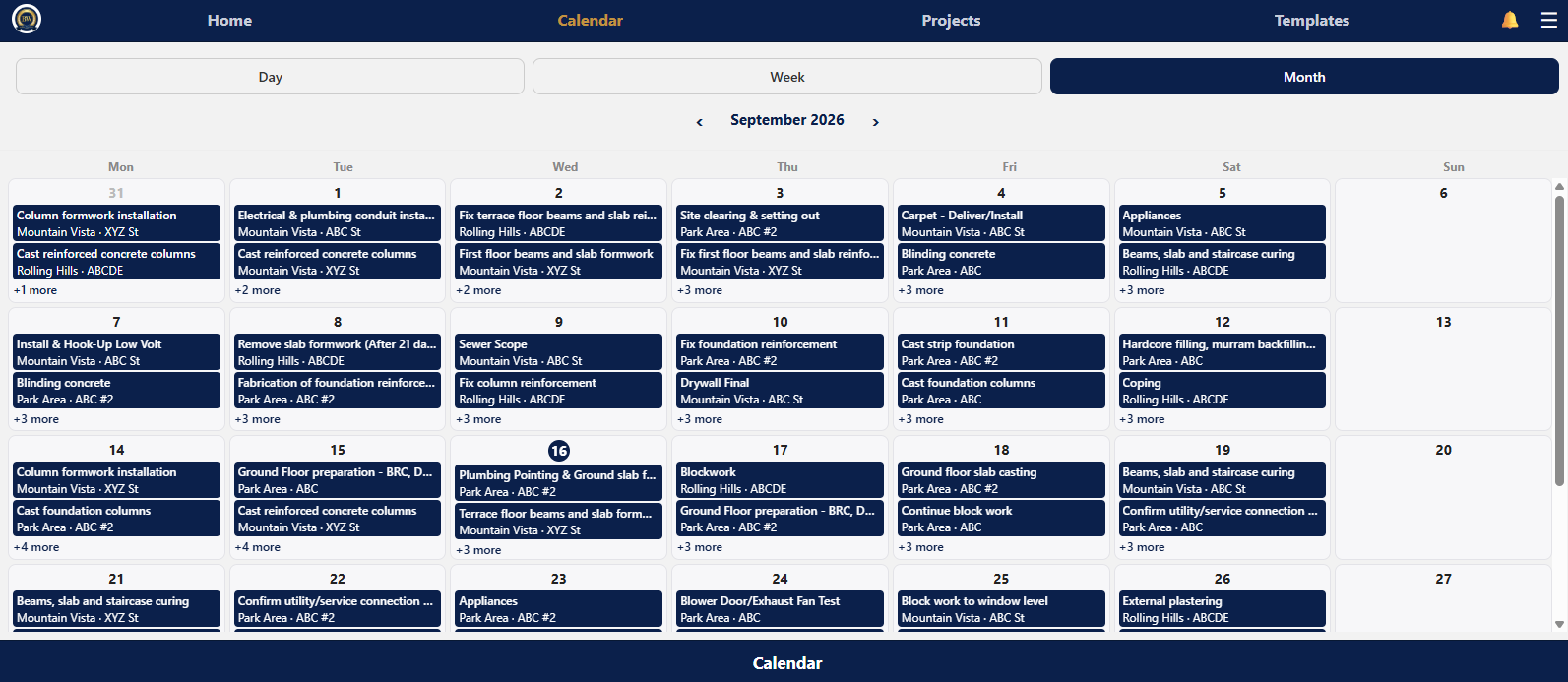
Day, week, and month views with every task, colored by critical path, completion, and delay status. Filter by community, project, construction manager, or trade partner.
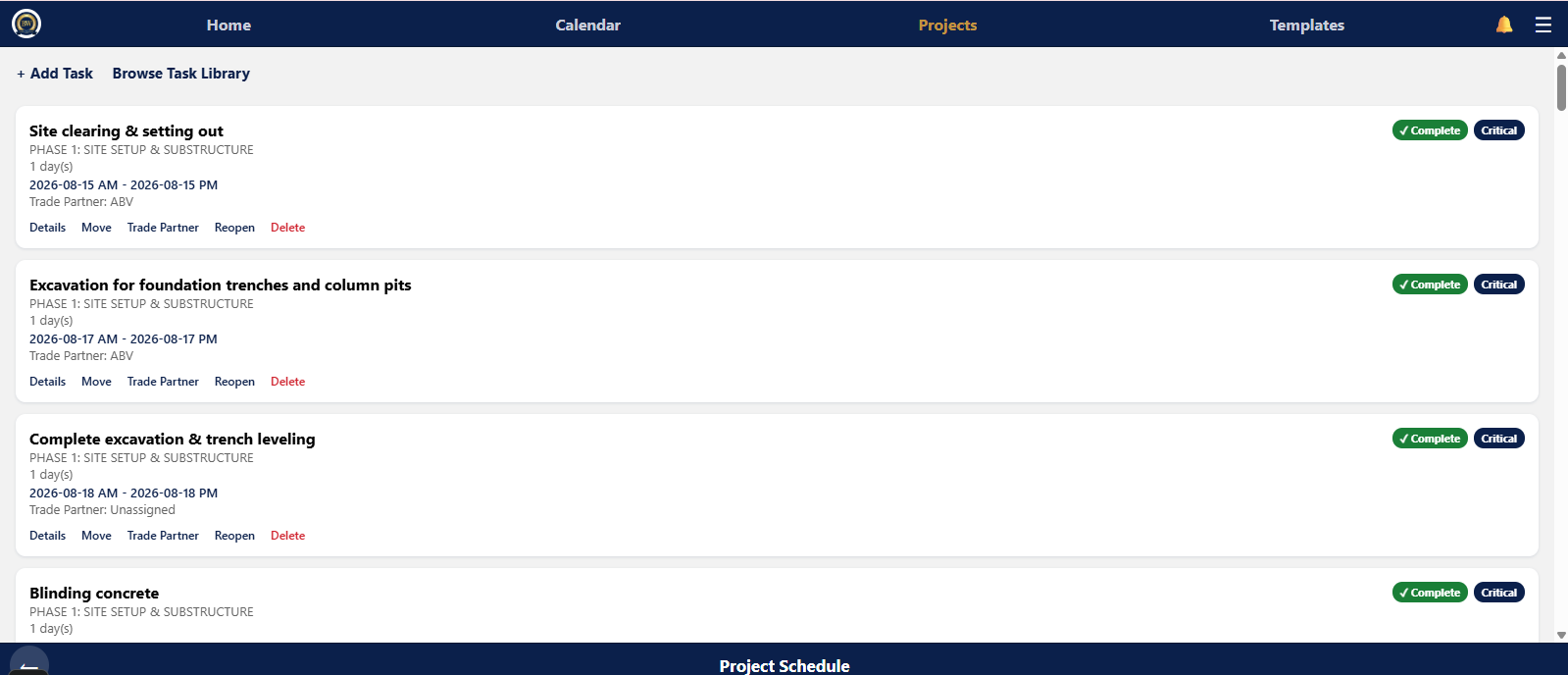
Every task for one project, ordered and grouped by phase, with dependencies, durations, and trade partner assignments — build it from the task library or a saved template.
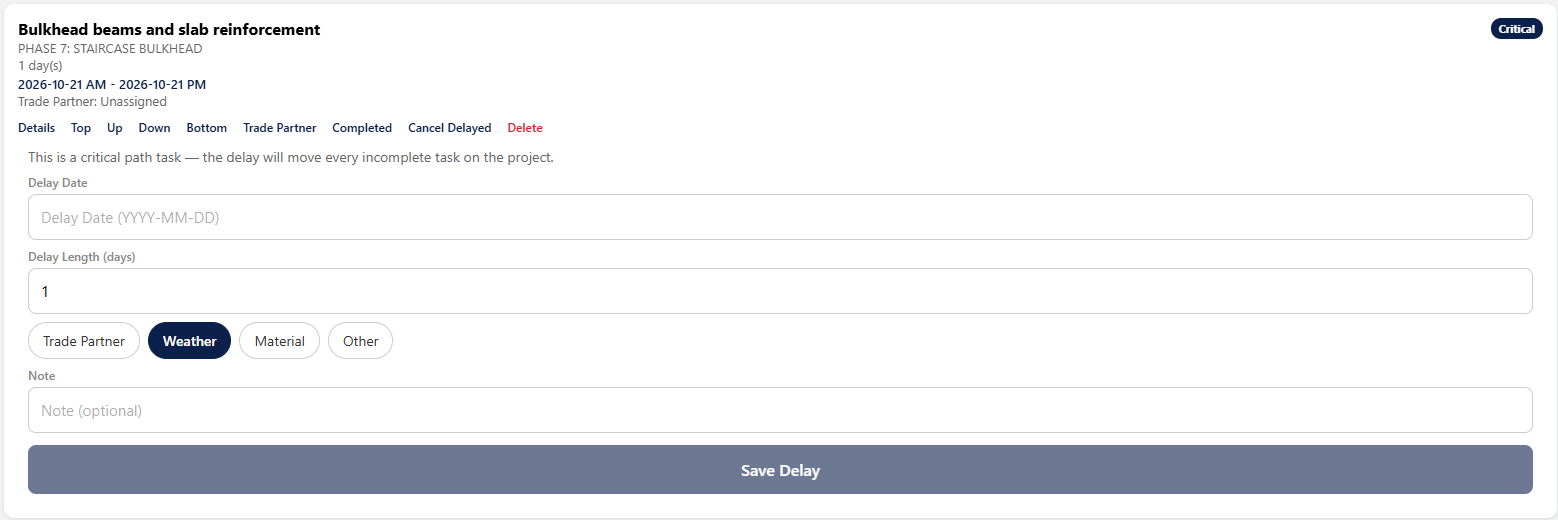
Pick the delayed task, the reason, and the days — the app shows exactly which tasks will move and which trade partners will be notified before you save it.
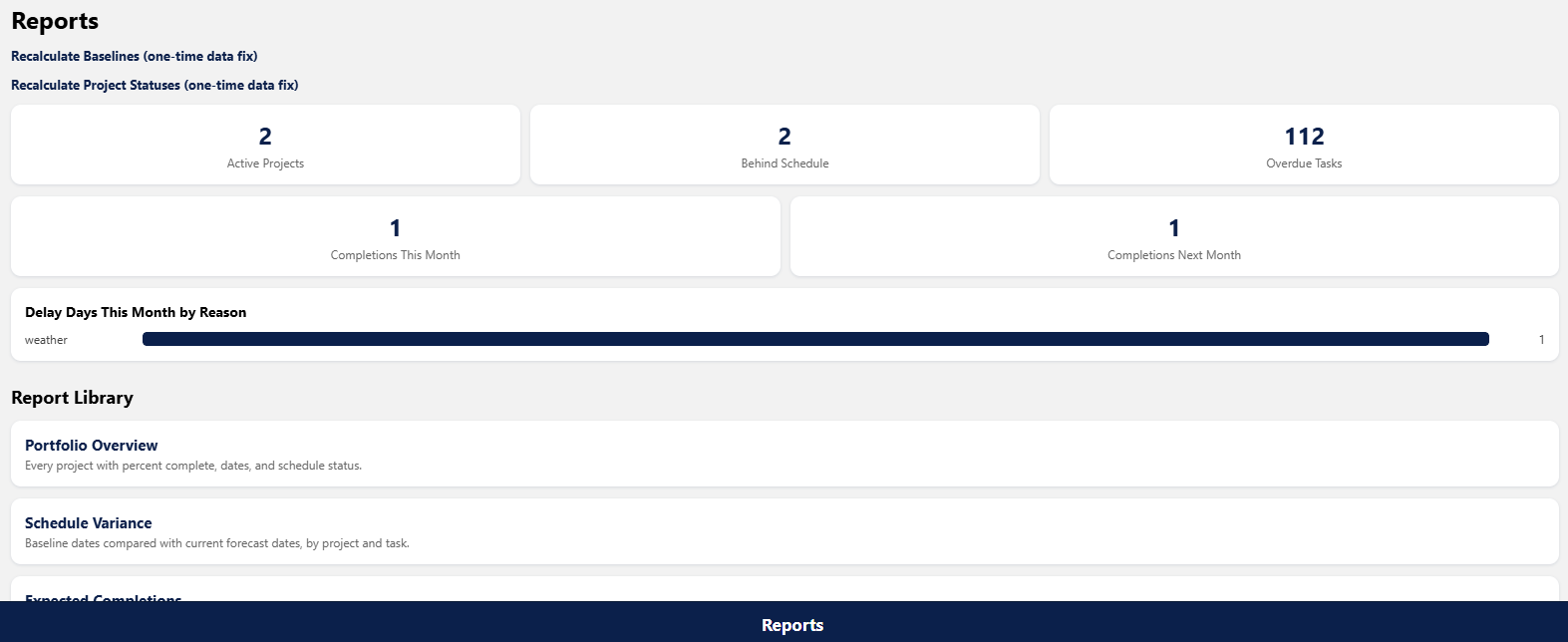
Active projects, projects behind schedule, expected completions, and delay days — every number opens the detailed report and Excel export behind it.
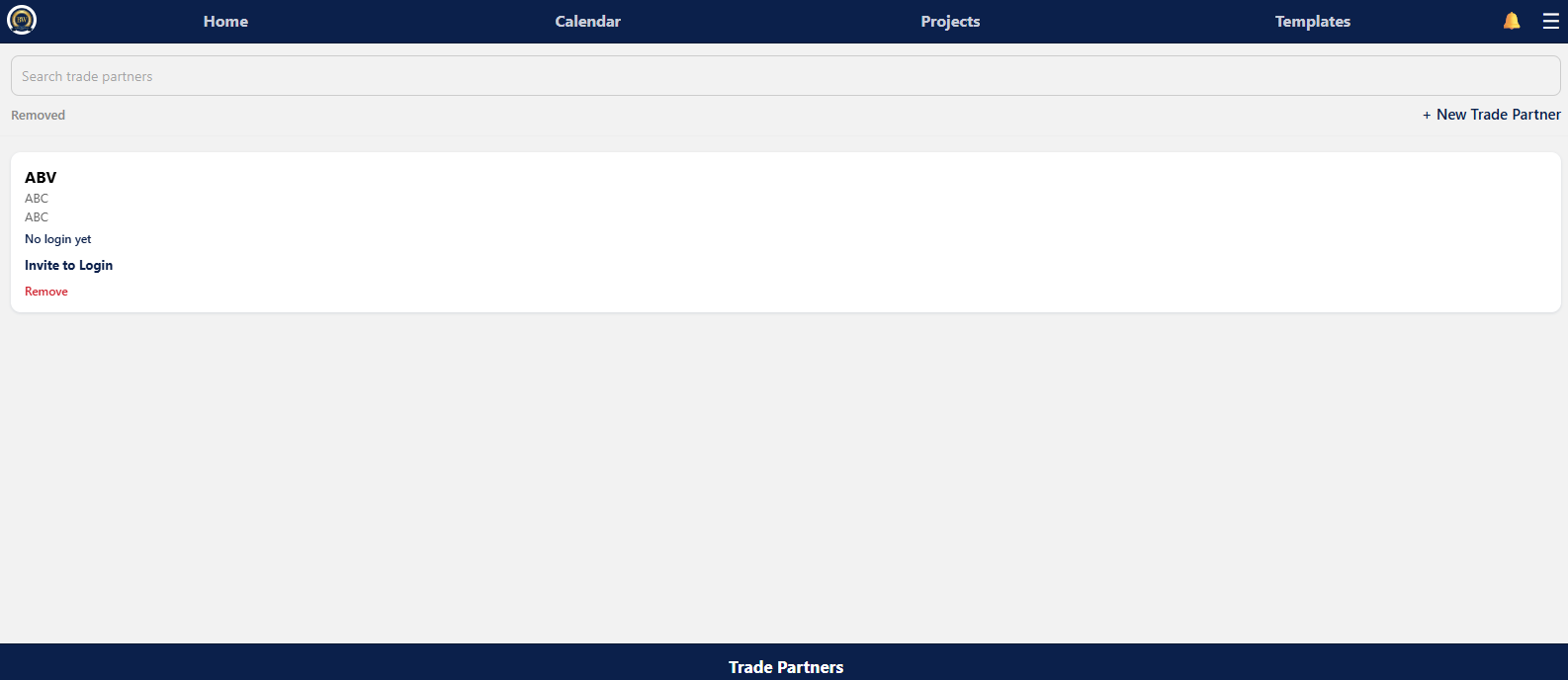
Every trade partner in one contact list — invite one to a free login, see who already has one, and remove one without losing their task history.
Start a free 30-day trial — full access, no credit card required.
 Builder Worldwide